Compare the options.
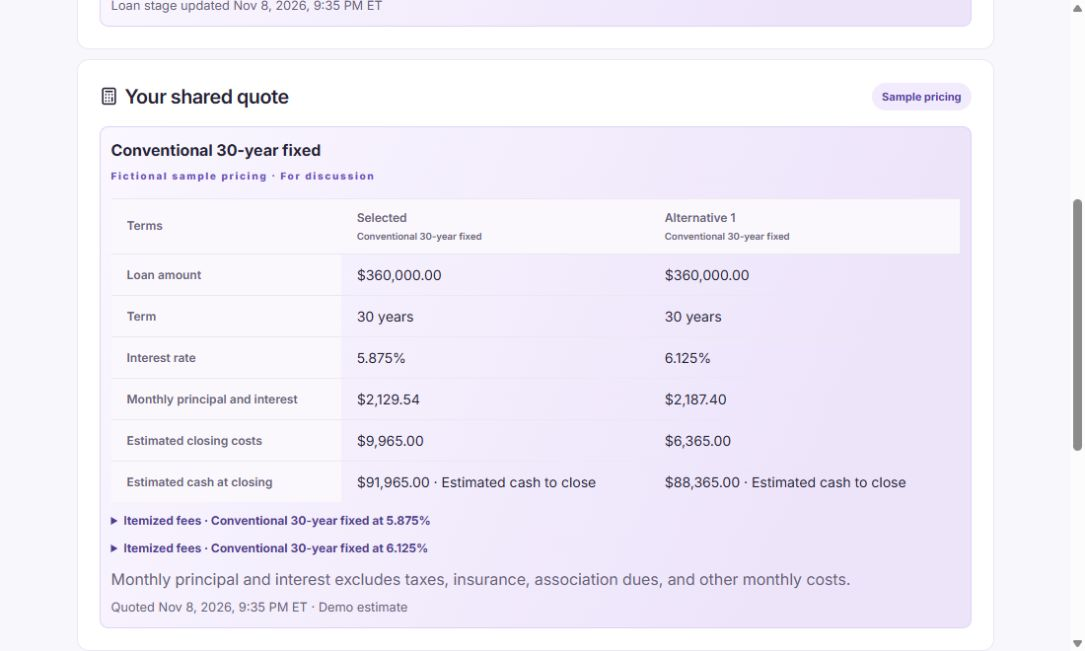
Review sample quotes, itemized fees, and estimated cash to close. Keep the loan details behind each saved quote.
The Orbit workspace
A connected working day for owners, loan officers, and processors.
01 / Build the relationship
Capture inquiries and realtor referrals, assign follow-ups, and carry the borrower’s details into the loan application.
02 / Welcome the borrower
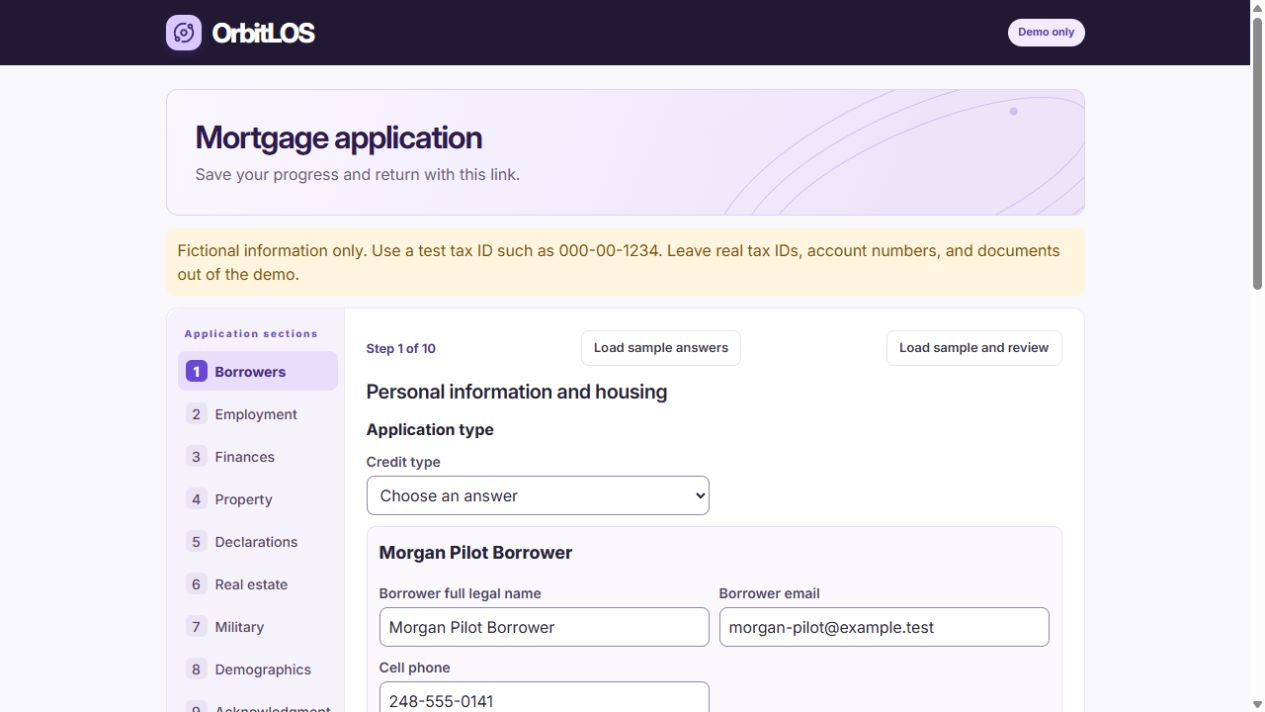
Borrowers can save their application, then check milestones, document requests, and shared quotes after submitting. If the loan team requests a correction, the same link opens the saved answers.
Realtors see their latest milestones and can browse earlier referrals. Private notes stay with the loan team.
03 / Move the file forward
Review sample quotes, itemized fees, and estimated cash to close. Keep the loan details behind each saved quote.
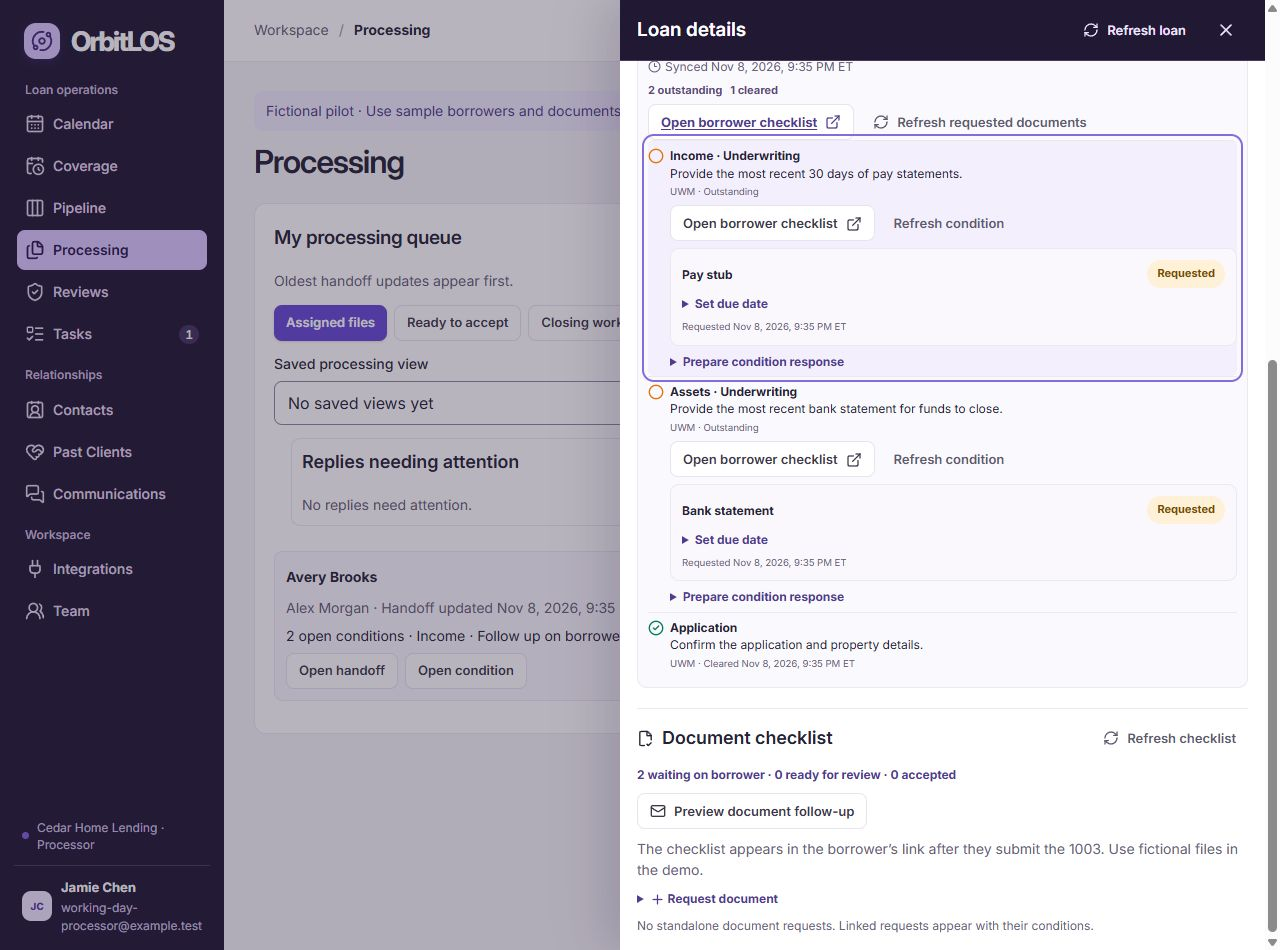
Manage the loan officer and processor from the selected file. Replacing a processor on an active handoff keeps its notes and deadline. Follow the file through mock condition clearance.
04 / Run the brokerage
Loan officers and admins start in Today. Processors open their assigned queue.
Track funding, lead conversion, and team workload. Browse paged pipeline boards and lists with totals across matching loans.
Require second 1003 approval before processing or mock UWM submission. See which files need a reviewer, a decision, or resubmission in the manager queue.
Track compensation, receipts, expenses, and estimated margin alongside your loans.
The rest of the working day
Open shared conversations and keep team notes with the relationship. Page through borrower and realtor milestone drafts, preview the current recipient, and track which messages were copied.
Keep callbacks and deadlines moving while a teammate is away. Give a backup the work due during coverage.
Find loans by borrower, property, or lender reference. Processors can find documents and conversations for their assigned files.
Page through callbacks, document deadlines, mock lender alerts, and completed work. Managers can open overdue or unassigned work directly, then reassign it without losing the original deadline.
See who received each imported lead and move from a connected call into a prefilled 1003. Recover interrupted callbacks and schedule mock document reminders.
Map owners and carry callback history. Open the current lead, loan, or task evidence from an import receipt. Download a cutover handoff with open checks and reviewer attribution.
Independent wholesale mortgage brokers, from individual loan officers to teams with dedicated processors and managers.
Lead follow-up, borrower applications, loan processing, team priorities, and business reporting. Your team shares the record and keeps ownership clear.
Follow a loan from first contact through closing, then explore the owner, loan officer, and processor views. Demos use fictional records, sample pricing, and simulated lender activity.
Preview your CRM import, map fields and owners, and review duplicates before bringing records into Orbit. We’ll walk through the process with your team.
Request a demo to discuss pricing for your team and the workflows you need.
Bring the people who manage your pipeline and a few examples of where work slows down. We’ll provide the sample loan records.